Account Deletion
We're sorry to see you go. If you wish to delete your Compass Comfort™ account, please follow the steps below. Please note that account deletion will deactivate your account and retain your data in an encrypted state for one year until it is deleted permanently.
Step 1: Open Account Settings
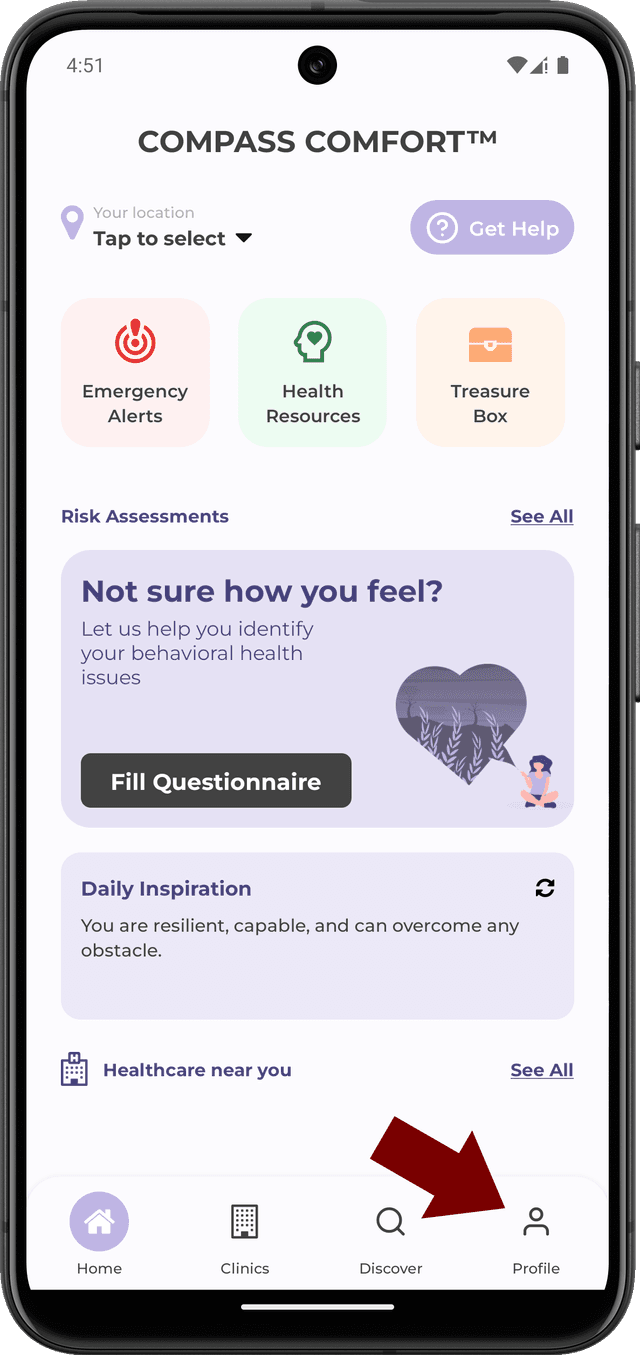
To start the account deletion process, you first need to navigate to the Profile page located at the bottom of the application in the navigation bar. You will see the option to select 'Profile'. Clicking on that option will move you to the Profile page.
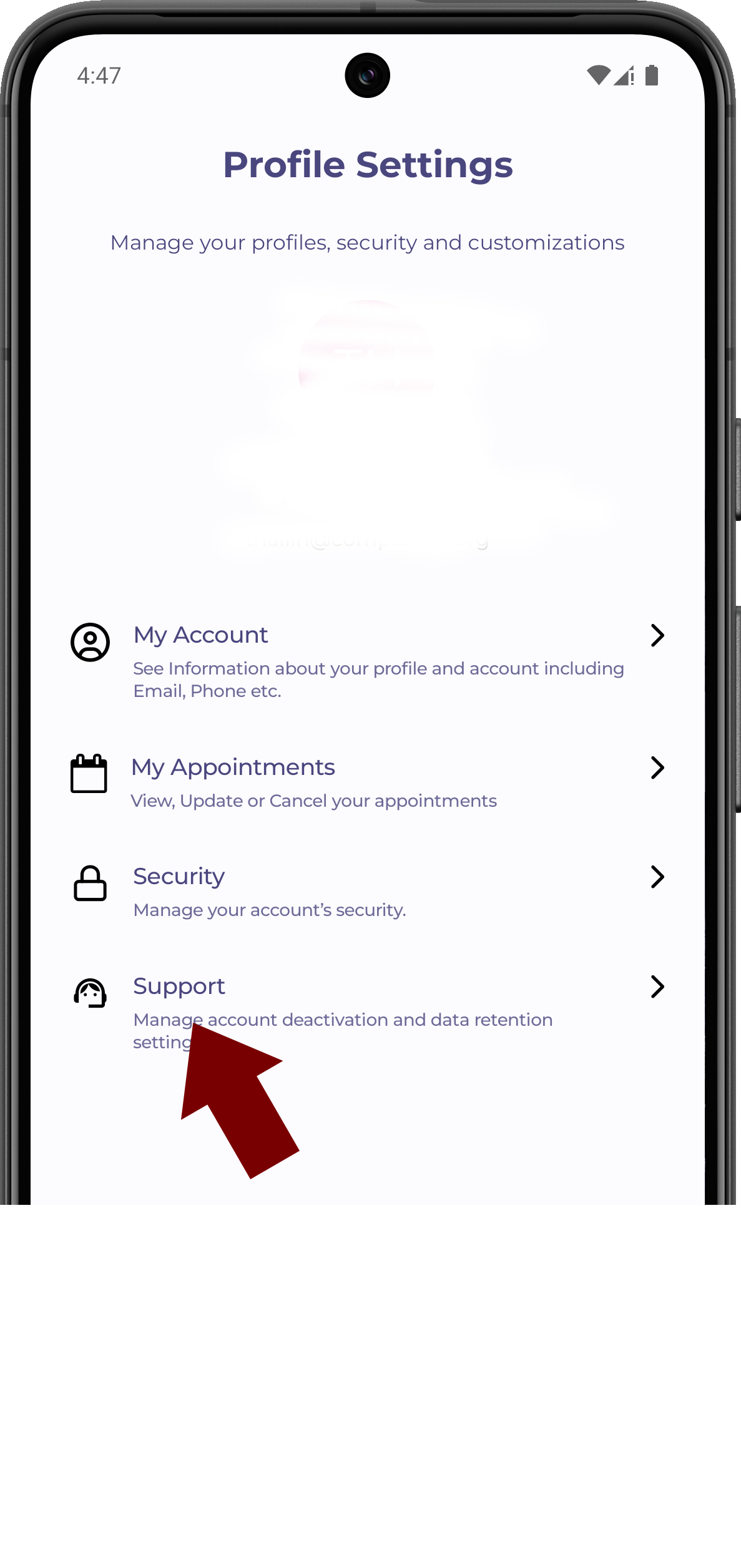
The profile page is where you will manage aspects of your account, including but not limited to the support option that will house the ability to deactivate your account.
Step 2: Navigate to Support
Once you're on the Profile page, you will see a list of options at your disposal. Locate the option labelled "Support". This option will be where the account deletion process will be handled.
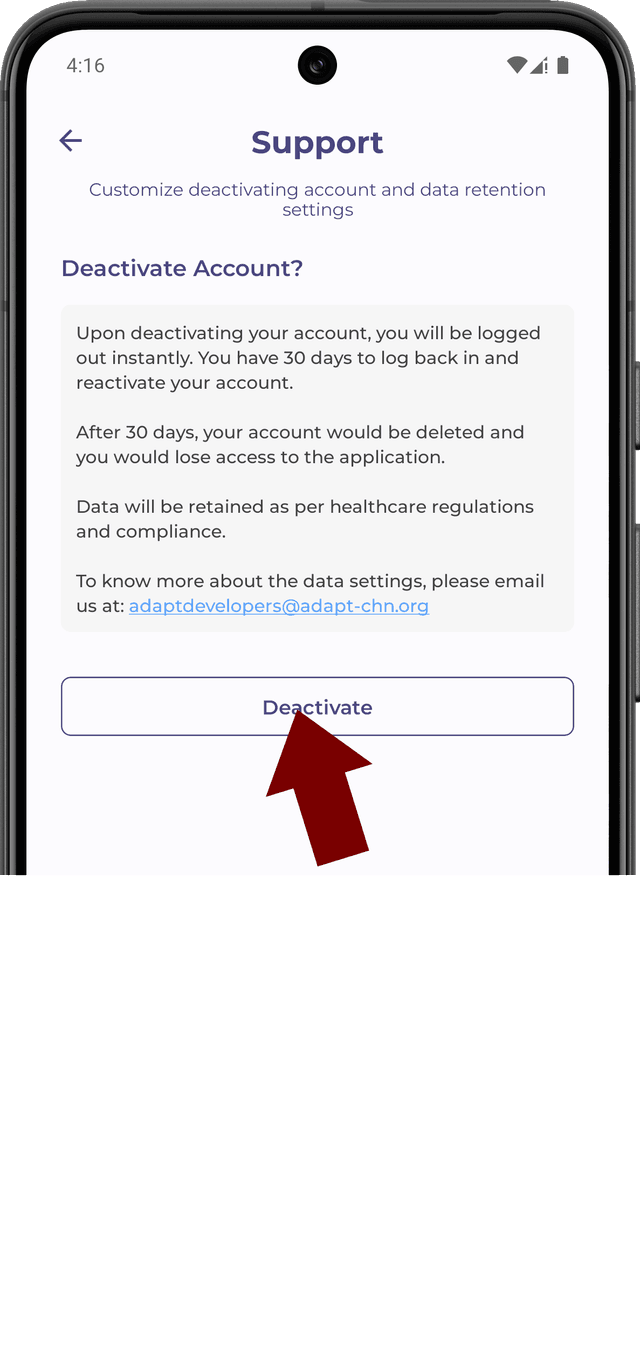
Step 3: Confirm Account Deactivation
Upon reaching the Support page, you will see the option to Deactivate your account within the application. Clicking on "Deactivate" will place your account in a deactivated status and encrypt all of your information in our system for 30 days. You will no longer have access to your account once you perform this action, so please ensure that you would like to deactivate your account.
Per our data retention policy, we will hold your account in this deactivated status for 30 days before removing your information for good. If you have any questions or need to reactivate your account for any reason, please reach out to adaptdevelopers@adapt-chn.org and we will be able to assist.